Job Queue Tools for Business Central
Overview
This functionality enhances monitoring of job queue entries in Microsoft Dynamics 365 Business Central by automatically notifying users when a job queue entry fails. Instead of relying on manual checks of job queue logs, the system sends an email notification to specified recipients once a job queue entry reaches its maximum number of retry attempts. This ensures that failures are detected quickly and can be addressed before they impact business processes.
Key Benefits
Improved Monitoring – Ensures that job queue failures are immediately visible to relevant users.
Faster Issue Resolution – Reduces downtime by alerting users as soon as automated processes fail.
Reduced Manual Control – Eliminates the need for constant manual review of job queue entries.
How It Works
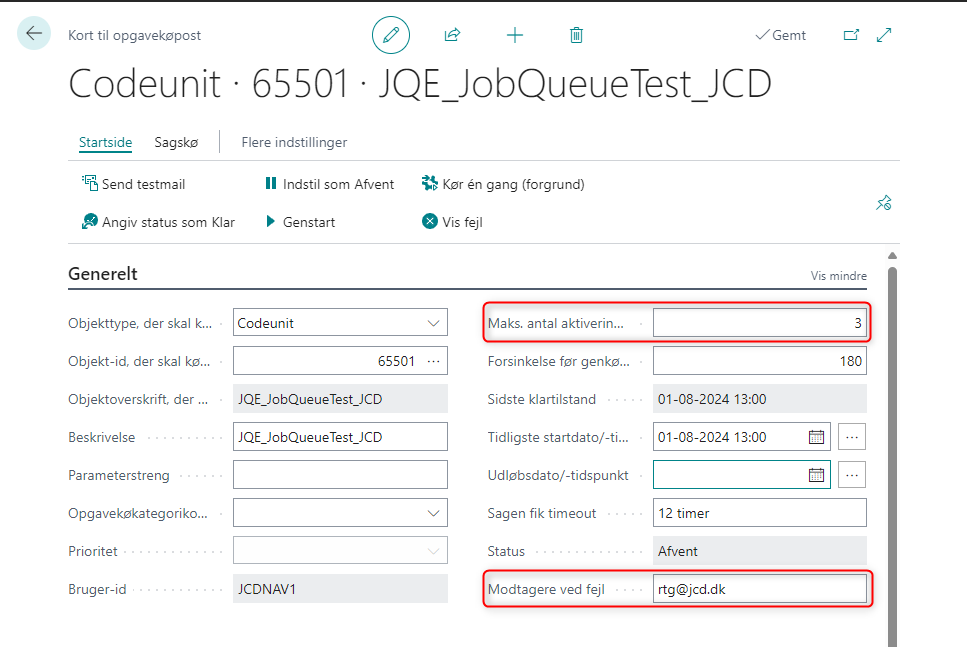
A job queue entry is configured with a defined maximum number of retry attempts.
The user responsible for receiving error notifications is set up by specifying one or more email addresses in the “Error Notification Recipients” field on the user setup. Multiple email addresses can be defined by separating them with a semicolon.
When a job queue entry fails and reaches the configured maximum number of retry attempts, the system automatically sends an email containing the error information to the specified recipients.
Availability and Setup
This functionality is not part of the standard Business Central application and requires additional setup.
Steps
Download the extension from Microsoft AppSource
Locate the extension in Microsoft AppSource and download it to your Business Central environment.Set up a test job queue entry
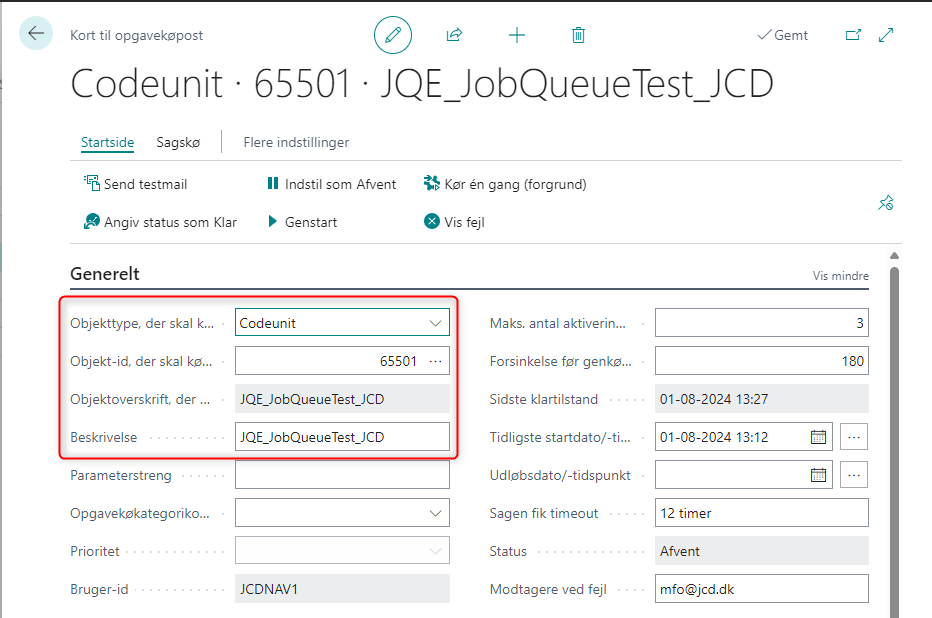
Create a job queue entry using codeunit 65501.
This codeunit is intentionally designed to fail and can be used to test the functionality.